How to Tailor Your CV with AI for Each Job Application
Tailor your CV with AI. That’s the fix for something you already know too well. You find a job that looks perfect, hit “Easy Apply,” and send the same CV you’ve used for the last fifteen applications. Then, nothing.
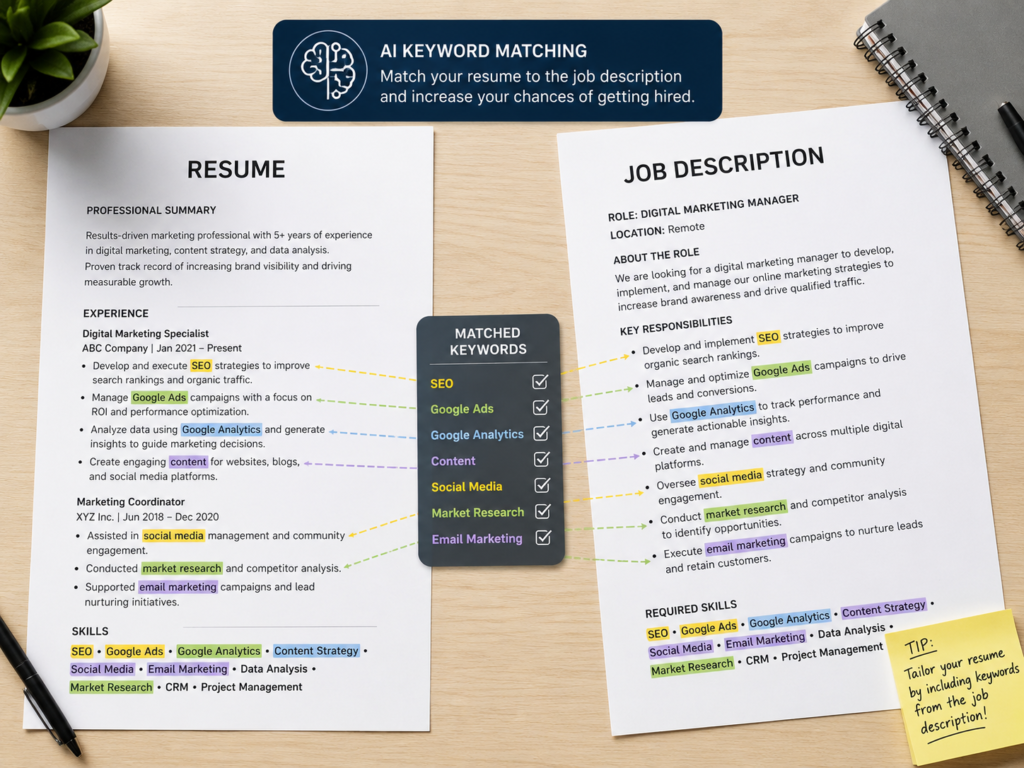
Here’s why. Most companies don’t have a person read your CV first anymore. An Applicant Tracking System, or ATS, does that job instead. It scans your resume for the exact skills and phrases used in the job ad. If the overlap is too low, you’re filtered out before a human ever sees your name. A single CV, no matter how strong, can’t score well on every listing unless you tailor your CV with AI for each one. Every listing wants slightly different wording.
The good part is that tailoring used to eat up 20 to 30 minutes per role. Now, when you tailor your CV with AI, it takes a few minutes. You can do it for every application, not just the ones you think matter most.
Why “One CV Fits All” Doesn’t Work Anymore
Most mid-to-large companies run resumes through ATS software before a recruiter even looks at them. The software compares your CV’s wording against the job description and gives you a match score. Two job ads can share the same title and still ask for completely different keywords. That means a resume that worked for one role can get rejected for another with a nearly identical title.
That’s not a reason to panic. It’s actually good news. The fix isn’t to become more qualified. It’s to describe the qualifications you already have, in the words this specific employer prefers. That’s what it really means to tailor your CV with AI. Tailoring isn’t lying. It’s translation.
Tailor Your CV with AI, Not a Fake Version of Yourself
This is where people slip up. Tailoring your CV with AI doesn’t mean inventing skills you don’t have. It doesn’t mean stuffing your resume with buzzwords you can’t back up in an interview. It means taking your real experience and describing it the way this employer talks about it.
Say the job description mentions “cross-functional stakeholder management.” You’ve spent the past year coordinating between departments. So you phrase it that way. The facts stay the same. Only the framing changes.
How to Tailor Your CV with AI, Step by Step?
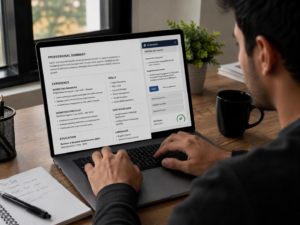
Use any AI chatbot, or a dedicated resume tool, and run through this each time you apply.
Feed it both documents. Paste in your current CV and the full job description together. Let the AI read the whole posting, including the “nice to have” section. That’s usually where the real keywords hide.
Ask for the must-have keywords. Get it to pull out the specific skills, tools, certifications, and repeated phrases from the posting. This becomes your checklist, the exact vocabulary the ATS and the recruiter are scanning for.
Rewrite your bullet points. Ask the AI to reword your existing bullets to match that language, without changing what you actually did. Try this prompt: “Rewrite my work bullets to highlight [specific skill], using language similar to the posting, without making up anything I haven’t done.” This one step is really the heart of how you tailor your CV with AI.
Reorder, don’t just reword. Ask which of your experiences fit this role best, then move those higher up. A recruiter skims for six seconds. Your strongest match should be first, not buried under older roles.
Read it out loud before you send it. This step gets skipped the most, and it matters the most. If a sentence doesn’t sound like you, rewrite it. Never send an AI-tailored CV without reading every line yourself.
Check the file format. A well-tailored CV can still get rejected if the format confuses the ATS. Submit as a .docx unless the posting asks for a PDF. Some older systems still parse Word files better.
Should You Use a Dedicated Tool?
You don’t need a dedicated tool to tailor your CV with AI. A general chatbot works fine if you follow the steps above. But if you’re applying to a lot of roles, a dedicated tool can save time by scoring your match rate and flagging missing keywords automatically. A few types worth knowing:
- ATS scoring tools compare your resume to the job description and hand you a match percentage plus missing keywords.
- All-in-one resume builders let you keep multiple CV versions and generate a tailored copy per job in a couple of clicks.
- Job-search workspaces combine a tracker with built-in resume matching, useful if you’re juggling several applications at once.
None of these tools replace reading your own resume before you hit send. They just speed up part of how you tailor your CV with AI. You’re still responsible for making sure the final CV sounds like you.
Common Mistakes When You Tailor Your CV with AI
Keyword stuffing. Cramming in every keyword from the posting, including ones that don’t apply to you, reads as robotic once a human opens it. That’s not really how you tailor your CV with AI, that’s just filling in blanks.
Letting the AI invent things. If it adds a metric or responsibility you never had, cut it. Getting caught in an interview not knowing your own resume is worse than not getting the interview.
Tailoring only the summary. Your top summary matters, but recruiters and ATS both scan your full work history. Tailor the bullet points too.
Editing your only copy. Keep a detailed master resume with everything you’ve done, and generate a trimmed version from it each time. Don’t edit your one and only file directly. You’ll lose material you need later.
The Bottom
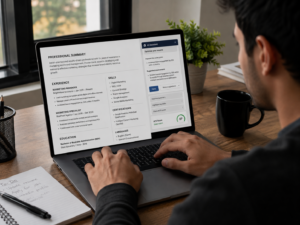
Editing your CV for every job used to feel like a luxury you didn’t have time for. AI removes that excuse. Once you learn to tailor your CV with AI, it’s not a chore anymore, it’s just part of applying. Employers have already adjusted their filters to reward specificity. Your job is to meet them there, one application at a time, without losing the true parts of your story.
Start with your next application. Paste in the job description. Run through the steps above. Watch how different it looks once you tailor your CV with AI instead of sending the old default version.